
Ax86 Power
Android 16 Lineout. Screenshots and steps on these pages were taken on Bass: Lineout (Lineage 23.2 / Android 16). On Android 14 (Lineage 21.0) the same tools can look different, sit in a different Settings place, or be missing from that image entirely.
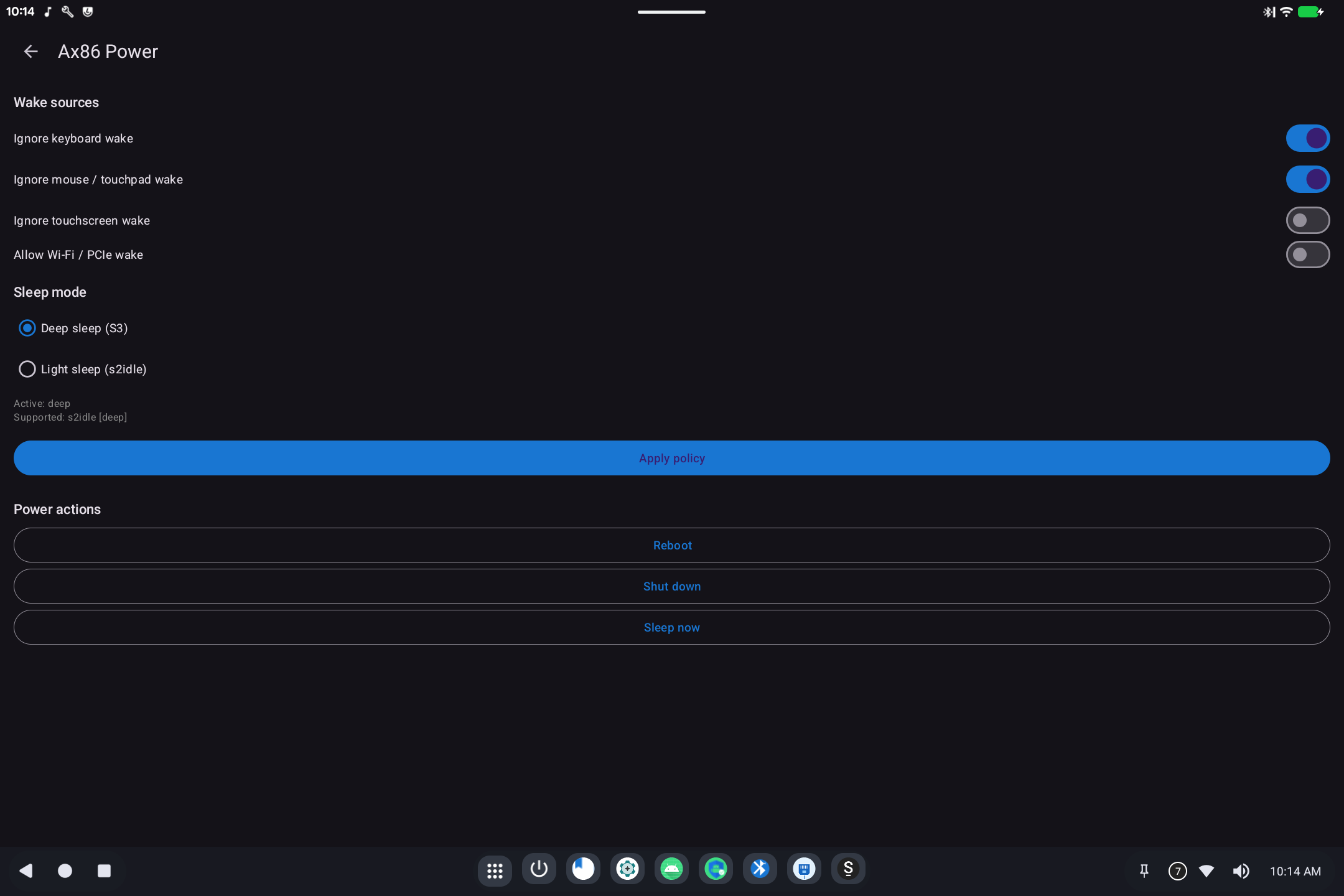
Ax86 Power decides when the computer sleeps and what is allowed to wake it. It also has Reboot, Shut down, and Sleep now.
Open it from Settings → System → Ax86 Power (it usually does not appear as a normal app icon).
What it is for
On a tablet or laptop, a USB keyboard, mouse, or Wi-Fi card can wake the machine if you bump the desk. These switches tell the hardware to ignore those wake sources.
Wake sources
After changing switches, tap Apply policy.
Sleep mode
- Deep sleep (S3): lowest power; best for battery when the lid is closed. Not every PC supports it.
- Light sleep (s2idle): lighter pause; more hardware keeps running.
The line under the choices shows what this machine actually supports. If Deep sleep is not listed as supported, use Light sleep.
Power actions
- Reboot: restart Android.
- Shut down: power off.
- Sleep now: sleep immediately using the policy above.
Related
-
Technical: Ax86 Power