
Bass Audio
Android 16 Lineout. Screenshots and steps on these pages were taken on Bass: Lineout (Lineage 23.2 / Android 16). On Android 14 (Lineage 21.0) the same tools can look different, sit in a different Settings place, or be missing from that image entirely.
Bass Audio is the extra sound panel for this OS: pick speakers or the monitor, adjust levels, and turn on effects.
Open it from Settings → Sound → Bass Audio, or from the Quick Settings tile (equalizer icon).
What it is for
Android's volume slider only goes so far on a PC. Bass Audio talks to the real outputs (built-in speakers, HDMI / DisplayPort on a monitor) so music and video play from the screen you expect.
How to use it
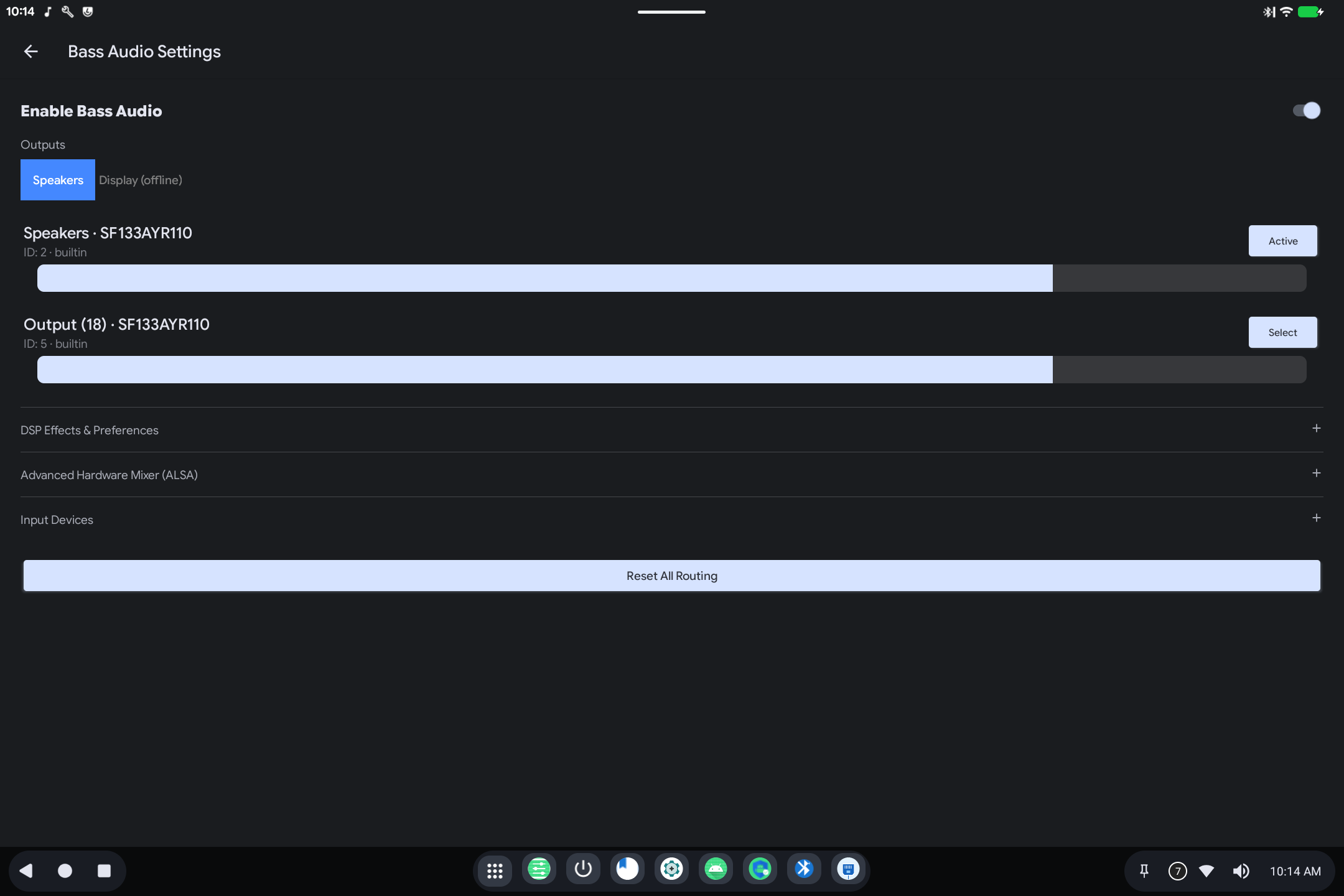
- Turn Enable Bass Audio on.
- Choose Speakers or Display (HDMI/DP). "Offline" means that output is not connected.
- Use Active / Select next to an output, and the slider for level.
- Open DSP Effects & Preferences for equalizer-style sound (including voice clarity). Volume Boost (a switch plus a strength slider) can go louder than the normal Android maximum. Use it sparingly, since it can distort.
- Advanced Hardware Mixer is for fine hardware controls: skip it unless a speaker is silent or too loud and the main slider did not help.
- Reset All Routing returns to defaults if sound is going to the wrong place.
If you plug in a monitor and there is no picture-sound, open Bass Audio again and select Display.