
BootSight (Device Status)
Android 16 Lineout. Screenshots and steps on these pages were taken on Bass: Lineout (Lineage 23.2 / Android 16). On Android 14 (Lineage 21.0) the same tools can look different, sit in a different Settings place, or be missing from that image entirely.
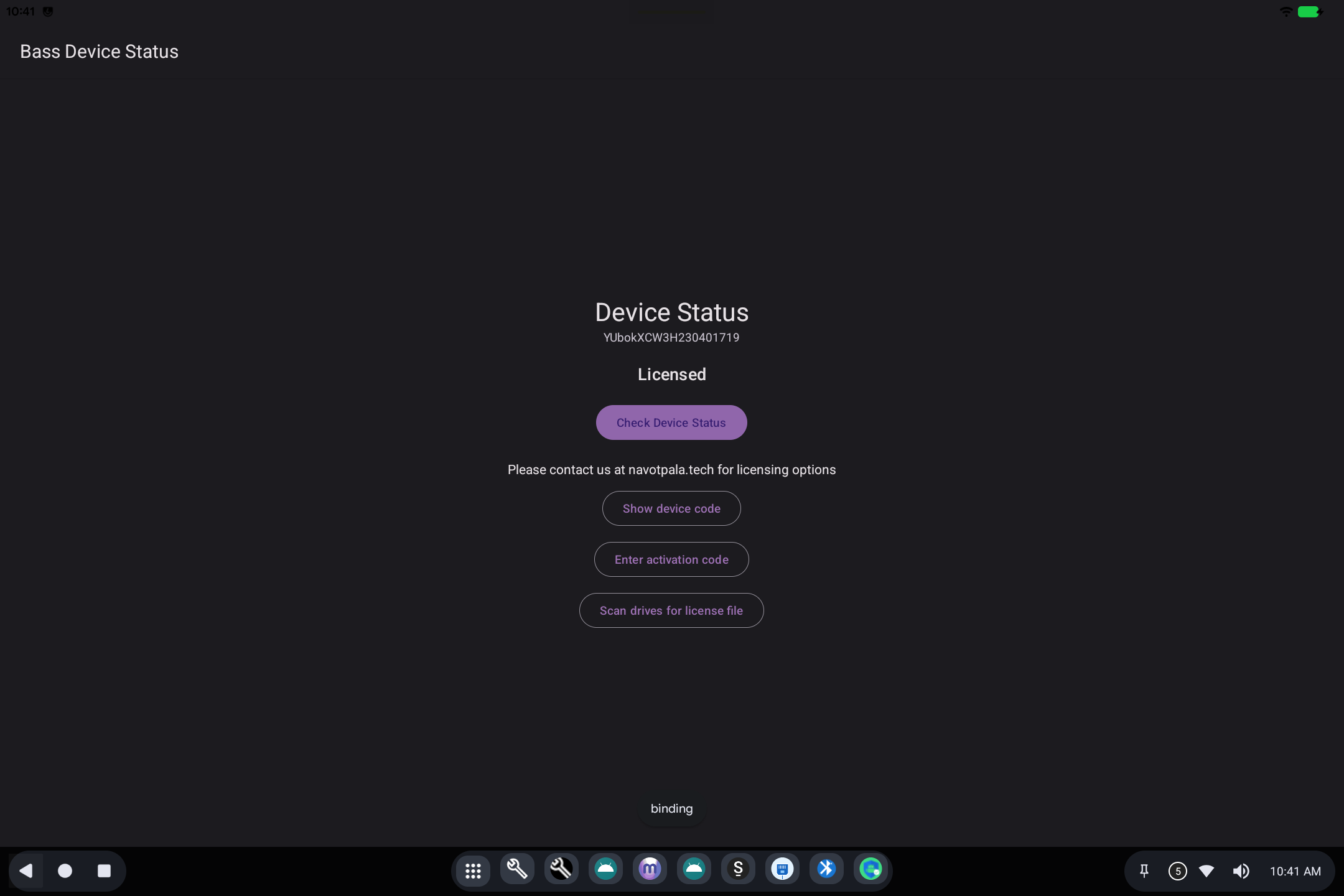
BootSight is the device status and licensing screen for Bass builds that use BootSight instead of a third-party device-management suite.
Open Bass Device Status from the app grid, or follow a licensing banner.
What it is for
Organizations license devices so they can be supported and, when needed, managed as a fleet. This screen shows whether this machine is licensed and gives you a way to activate it.
What you will see
- A serial (device code): support may ask for this.
- Licensed or Not Licensed.
- Check Device Status: ask the licensing service again (needs a network on online installs).
- Show device code: display the code for support or a QR workflow.
- Enter activation code: type a code you were given.
- Scan drives for license file: look for a dropped license on USB / internal storage (used on machines that cannot reach the internet).
Banners that say Unlicensed Device come from this same system. They do not mean Android Settings is broken.
For licensing options, the screen points to navotpala.tech.
Related
- Getting started
- License activation
- Technical: BootSight