
BT Ferry
Android 16 only (for now). BT Ferry is available on Bass: Lineout (Lineage 23.2 / Android 16) builds that include the addon. It is not on Android 14 / Lineage 21.0 images yet.
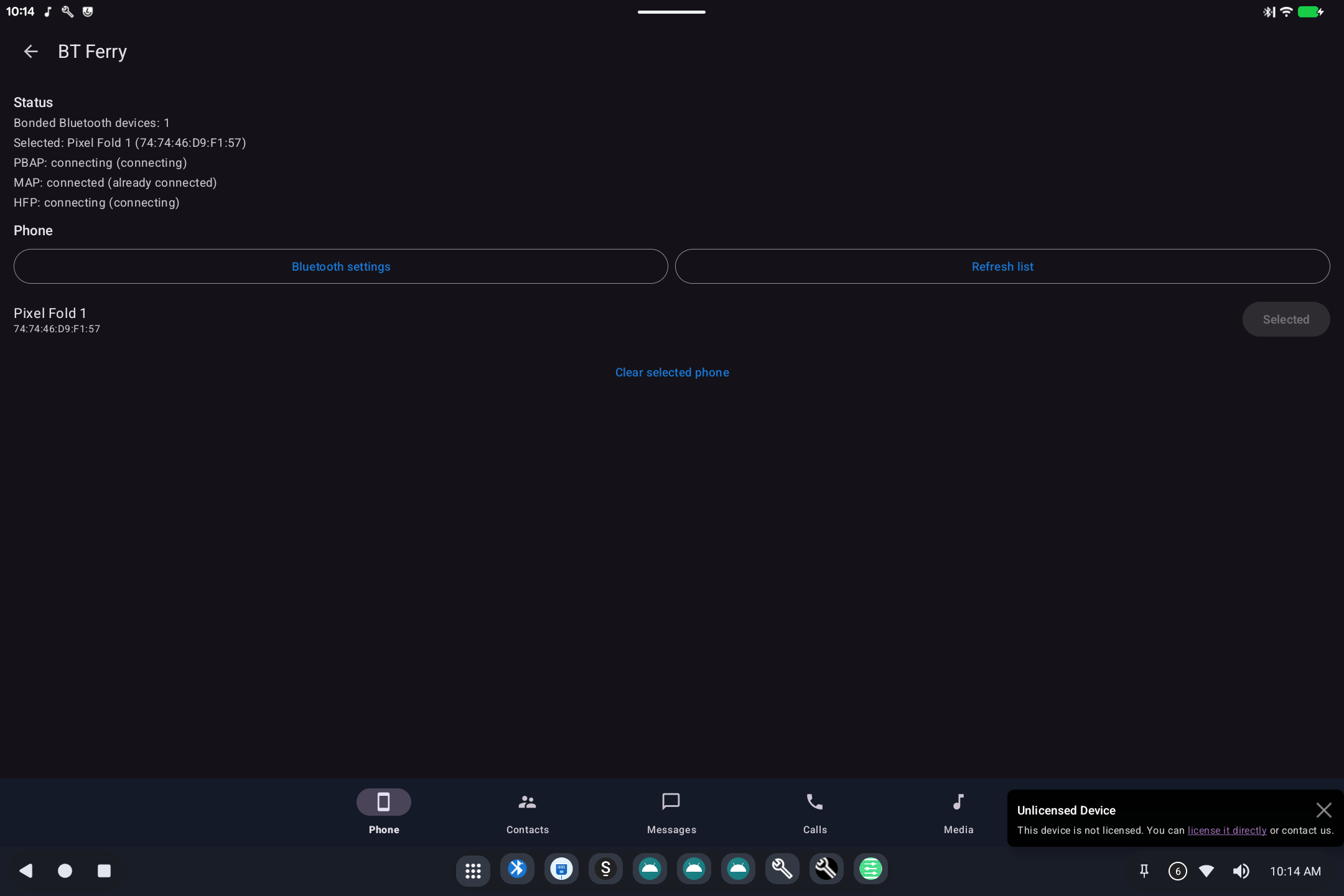
BT Ferry lets this tablet or desktop use your phone over Bluetooth: contacts, messages, calls, and (when supported) the phone's music on this device's speakers.
The cellular radio stays on the phone. This device is the bigger screen and speaker.
Open BT Ferry from the app grid, or Settings → System.
What it is for
Wi-Fi-only PCs still need SMS and calls. Pair a phone once; then read messages, look up contacts, and answer calls here.
How to use it
- On this device, tap Bluetooth settings and pair the phone (system Bluetooth screen).
- Return to BT Ferry and Refresh list.
- Select the phone. Status lines show:
- PBAP: contacts
- MAP: messages
- HFP: calls / headset
- Use the tabs Phone, Contacts, Messages, Calls, and Media.
Keep Bluetooth on both devices. The first connection after pairing can take a minute. Clear selected phone if you are switching handsets.
Picture messages, RCS, and iMessage decorations are not guaranteed: the phone still owns those apps.