
Button Manager
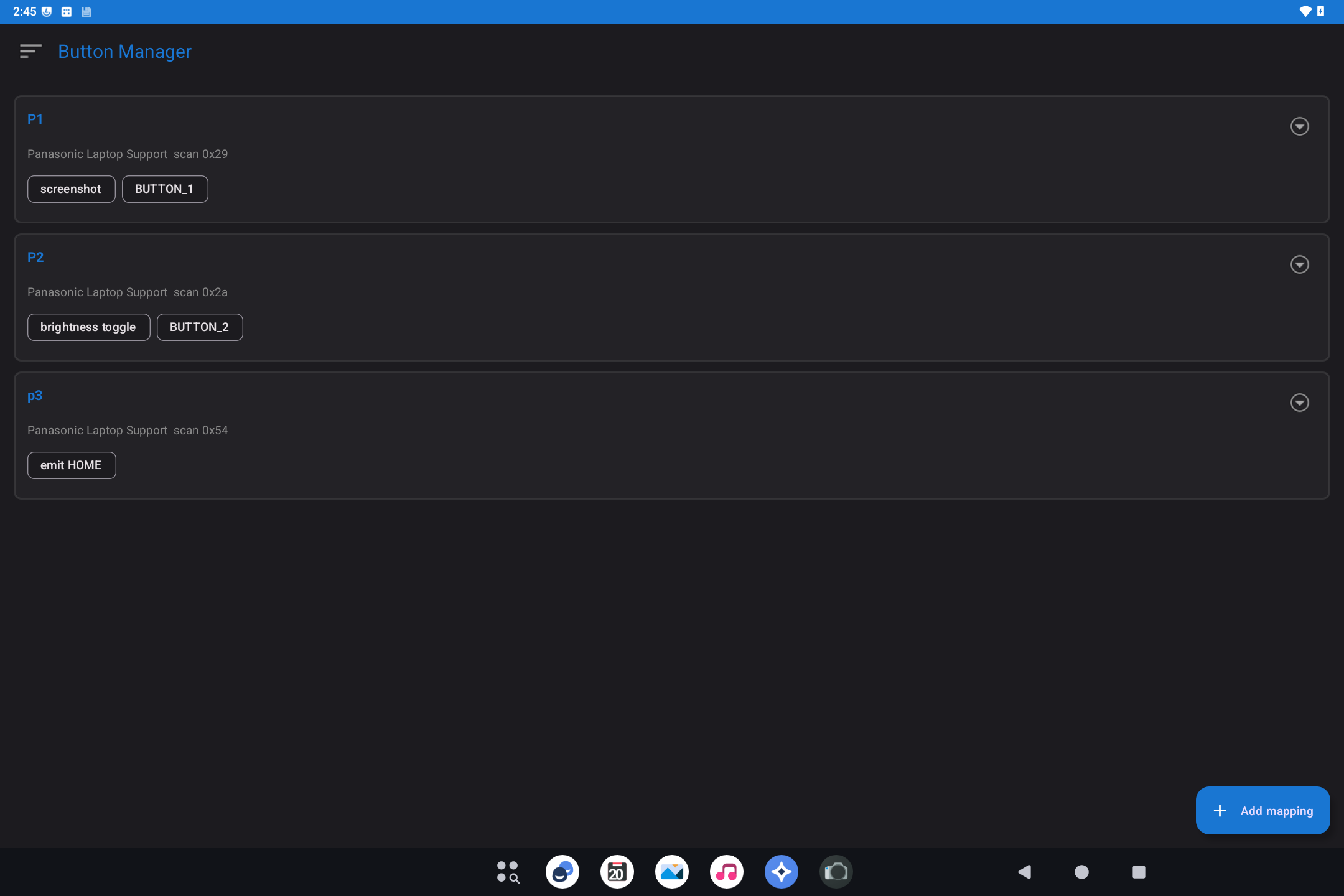
Android 14 and 16. Button Manager ships on Bass: Lineout for both Lineage 21.0 (Android 14) and Lineage 23.2 (Android 16). The screenshot below is from an Android 14 Lineout device (Panasonic CF-33).
Button Manager assigns the extra hardware keys on some x86 tablets and convertibles (often labeled P1, P2, P3) to useful actions: screenshot, keyboard shortcuts, brightness, opening an app, and similar.
This image may not include Button Manager. If Settings → System has no Button Manager row, skip this page.
What it is for
Those extra keys do nothing useful until something maps them. Button Manager is that map.
How to use it
- Open Settings → System → Button Manager.
- Pick a key (P1 / P2 / ...).
- Choose an action (screenshot, key combo, app, brightness, volume, ...).
- Save. Press the physical key to try it.
If a key does nothing, the device may not expose that button to Android, or another tool may already be capturing it.
Related
-
Technical: Button Manager